The EMR Platform for Precision Medical Education™
Medical and nursing students work realistic patient cases in a training EHR and get specific feedback on their clinical reasoning and communication.
Work each case the way clinicians do.
Each case moves from the chart to the patient, the workup, and the plan, in the order care happens.
Review the chart
Start from the patient’s message, history, medications, results, and prior visits.
Interview and examine
Question the simulated patient, then choose exam maneuvers and give a reason for each.
Order and interpret
Order labs, imaging, or referrals with a written indication, then interpret the results.
Document and get feedback
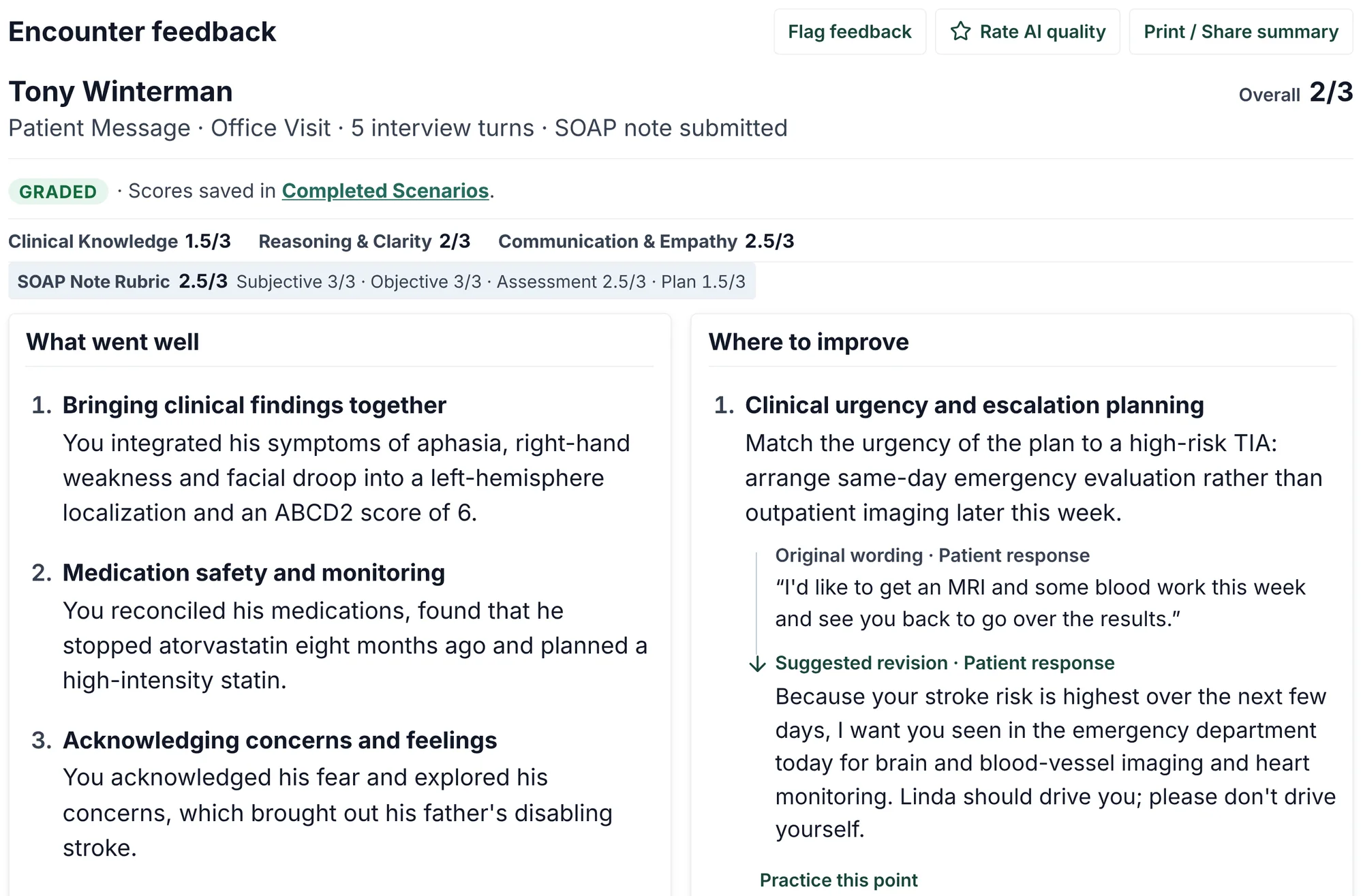
Write a SOAP note, then see scores and reasons for Clinical Knowledge, Reasoning & Clarity, and Communication & Empathy.
See each step in the training EHR.
Real screens from ChartCORE with synthetic patients. Open any screenshot to read it at full size.
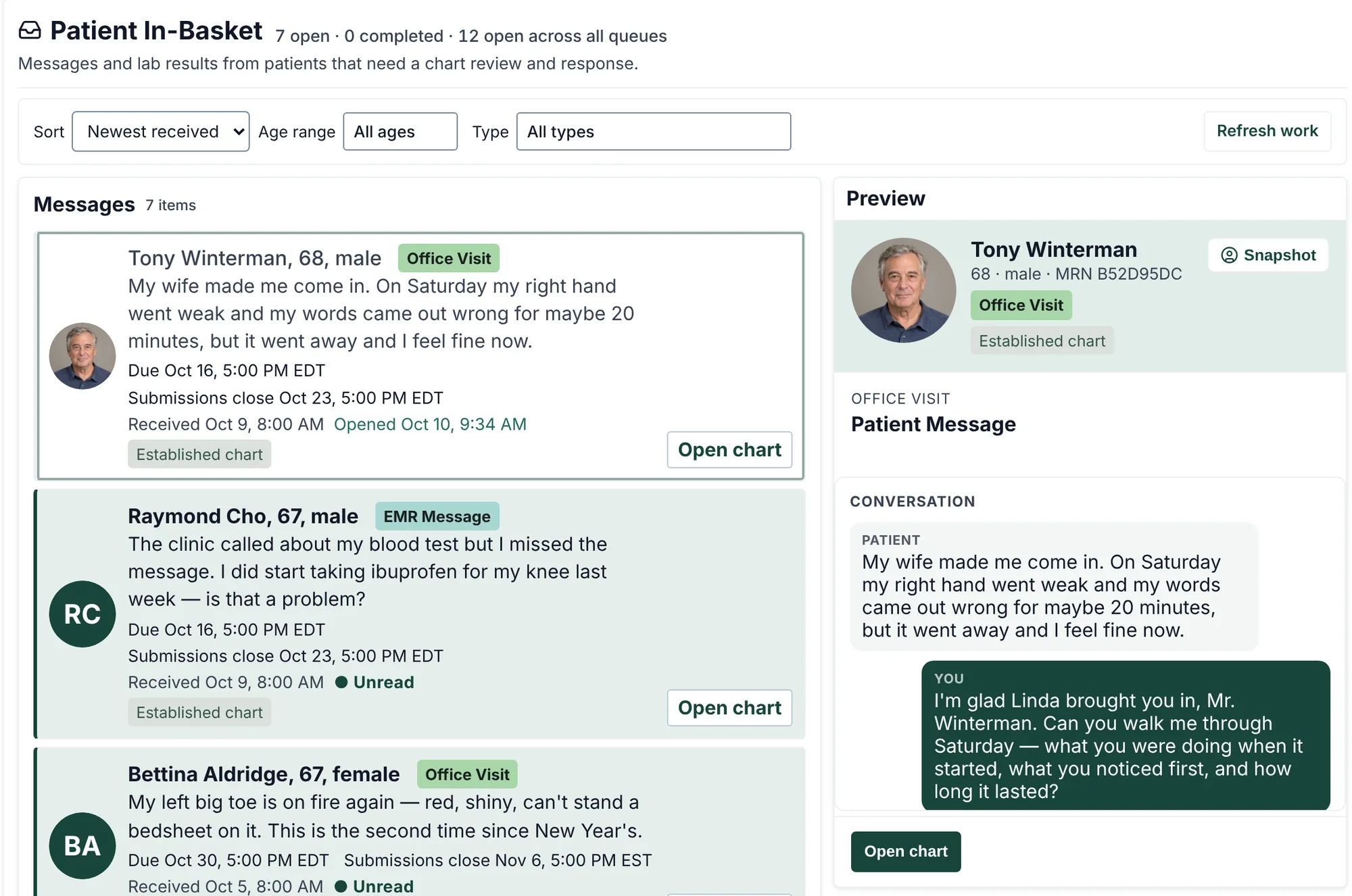
Start in the in-basket
Assigned cases arrive with the patient’s own words, the visit type, and the due date. The preview shows the conversation so far.
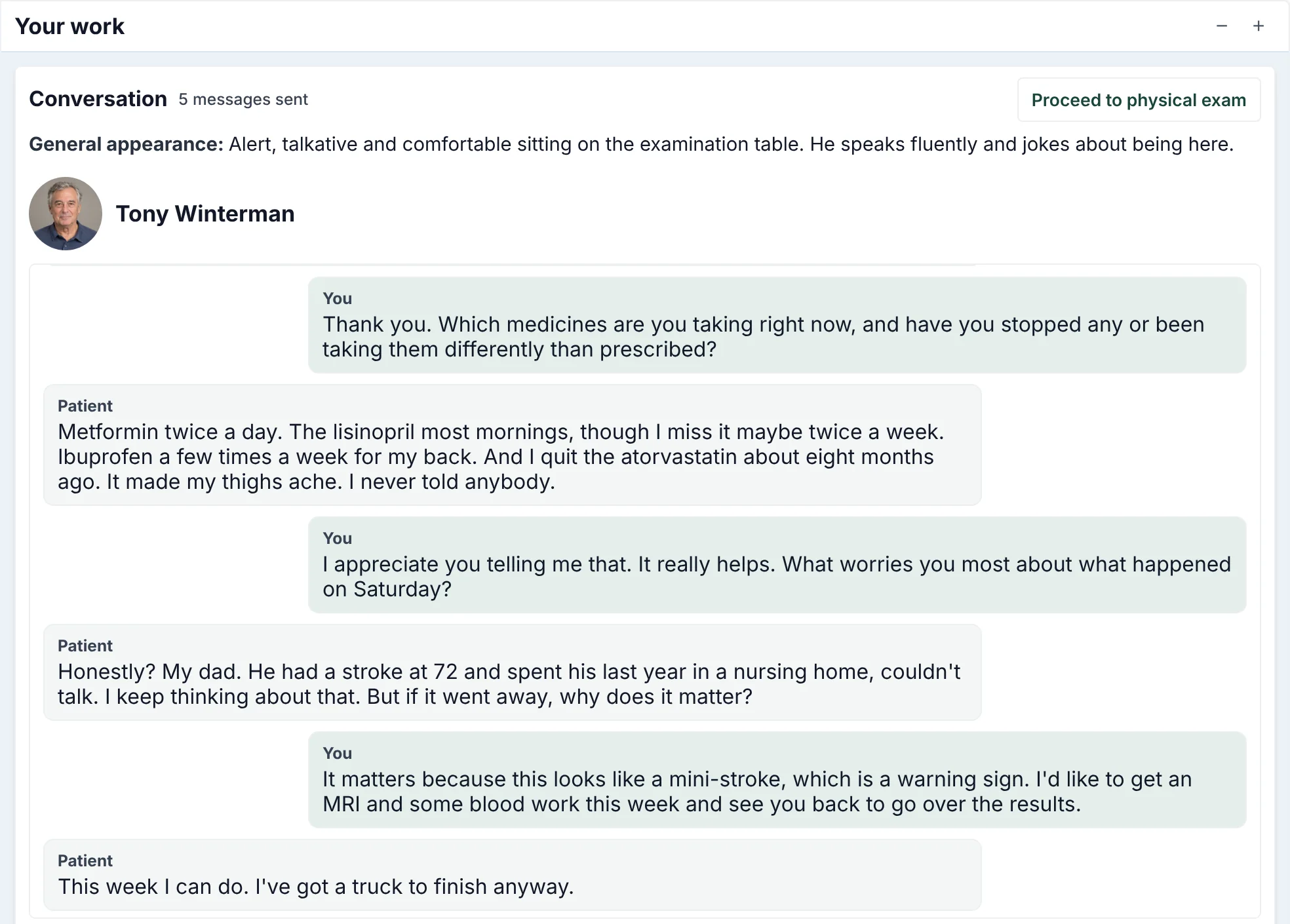
Interview the patient
Simulated patients answer in character and reveal what the chart leaves out, such as a statin stopped eight months ago, when the student asks the right question.
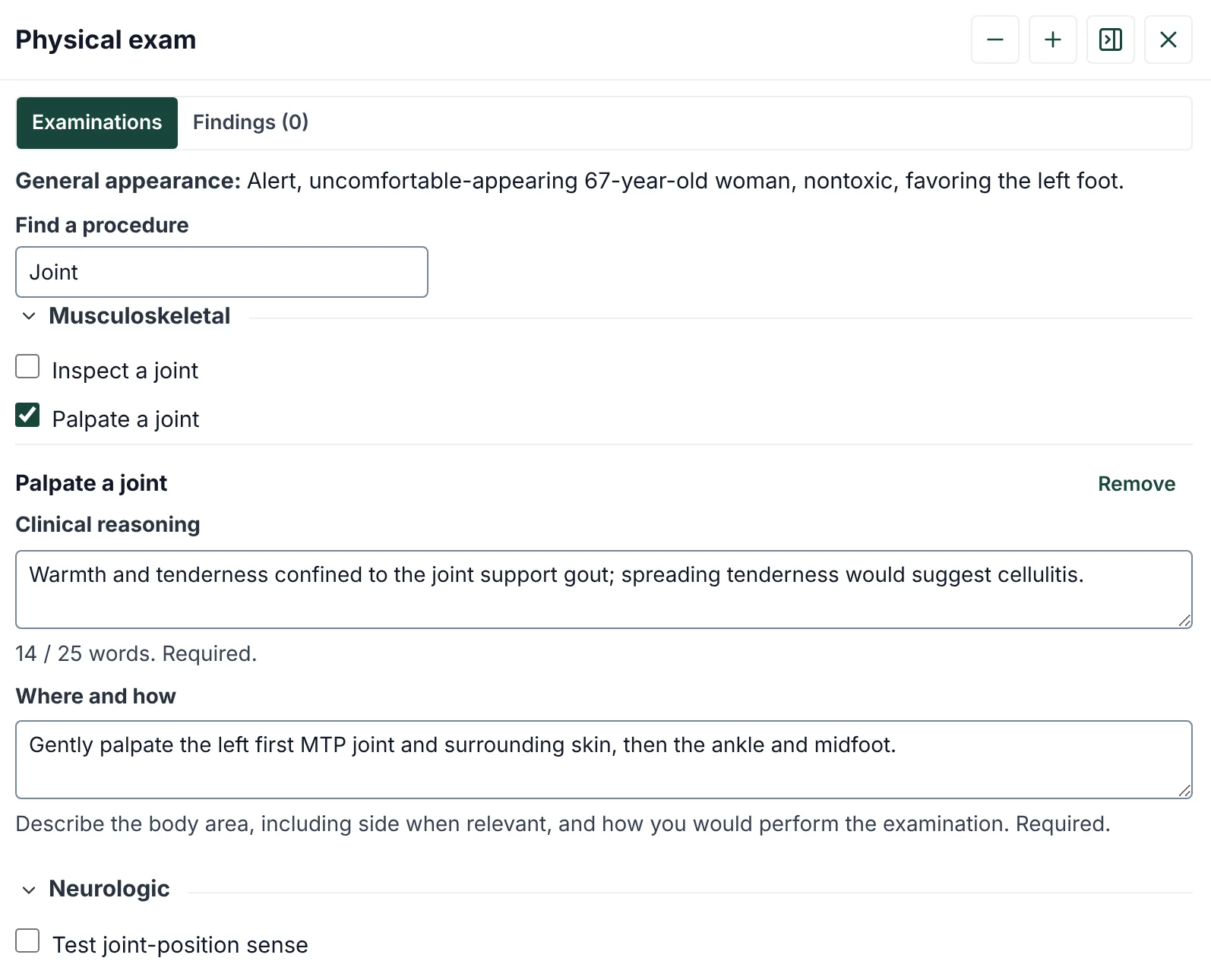
Examine with a reason
Students find maneuvers by system or by search, from 92 across 11 systems, and say why and how they would perform each one. Only the findings they examine are revealed.
Order the workup and justify it
Search labs, imaging, and referrals, set the priority, and write a clinical indication for each order, shown here for a patient with right upper quadrant pain. That reasoning is graded with the encounter.
Practice beyond multiple-choice questions.
Students make the decisions a clinician makes, in the record a clinician uses, and see the reasoning behind every score.
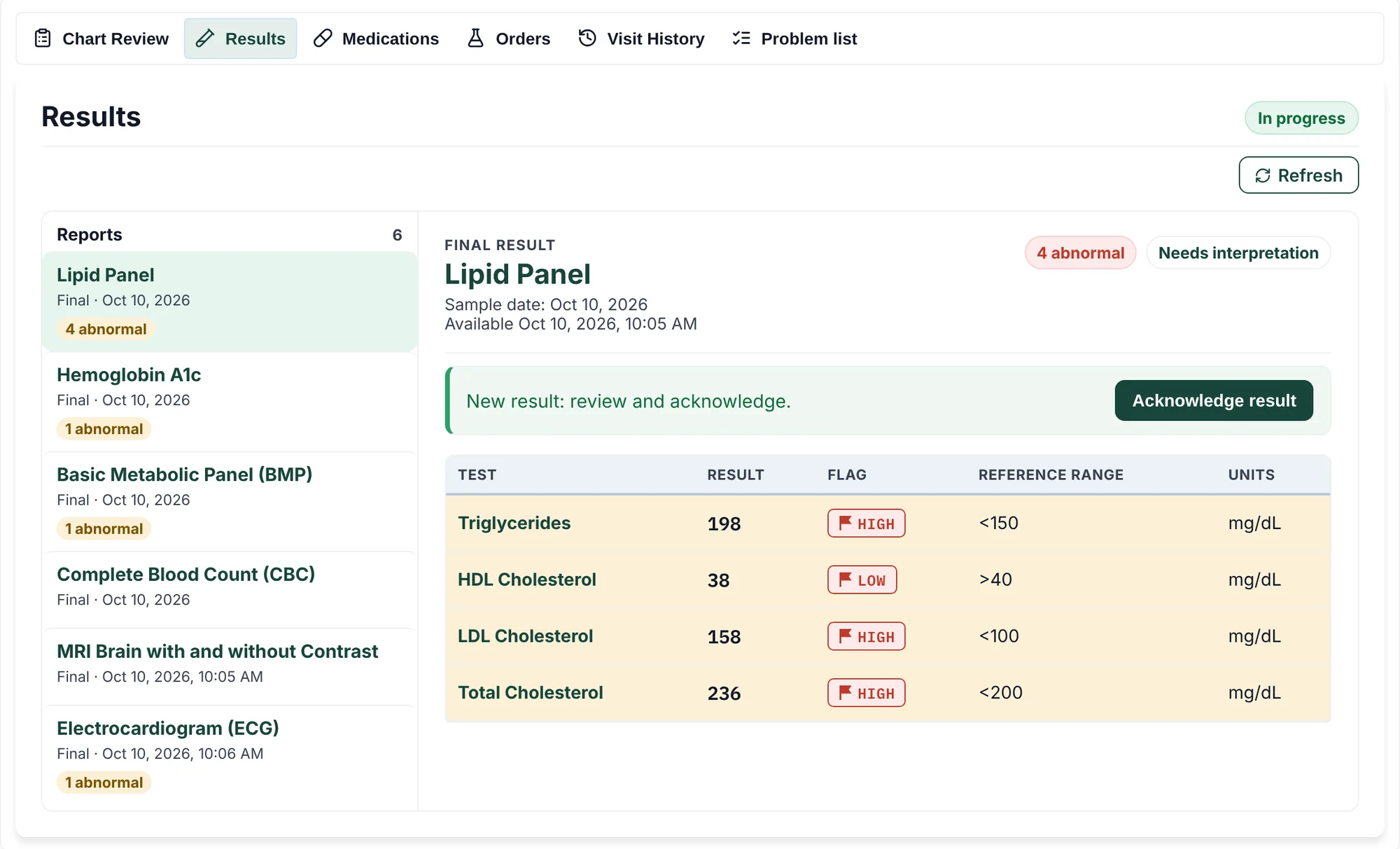
Condition-aware results
Lab and imaging results match each patient's condition, with standard flags and reference ranges.
| Test | Result | Flag | Reference |
|---|---|---|---|
| Hemoglobin | 8.1 g/dL | Low | 13.5–17.5 |
| MCV | 72 fL | Low | 80–100 |
| Platelets | 245 K/µL | — | 150–400 |
A complete medical record
Problem lists, medications, allergies, prior visits, orders, results, and notes live in one chart.
Reasoning you can see
Every order needs a written indication and every exam a reason. Feedback weighs that reasoning alongside clinical knowledge and communication.
- Clinical Knowledge
- 1.5/3
- Reasoning & Clarity
- 2/3
- Communication & Empathy
- 2.5/3